
If Outlook is not working right now, you are not alone. Microsoft confirmed an outage affecting Outlook, Teams, and Microsoft 365 after a network capacity upgrade went wrong. While Microsoft restores service, you can keep email moving with the workarounds below. Work through them in order and stop as soon as one solves your problem.
First, confirm it is actually Outlook
Before you change any settings, check whether the problem is Microsoft’s servers or your own setup. Open Downdetector’s Outlook page and Microsoft’s own service status page. If both show a spike in reports, the outage is on Microsoft’s side and no local fix will help until they finish repairs.
If status pages look clear but Outlook still fails on your machine only, skip to the local fixes further down. The same principle applies to any connectivity problem: test whether it is one device or everyone on your network. Our guide on the future of internet speed explains why a healthy connection to the router does not guarantee the wider internet is reachable.
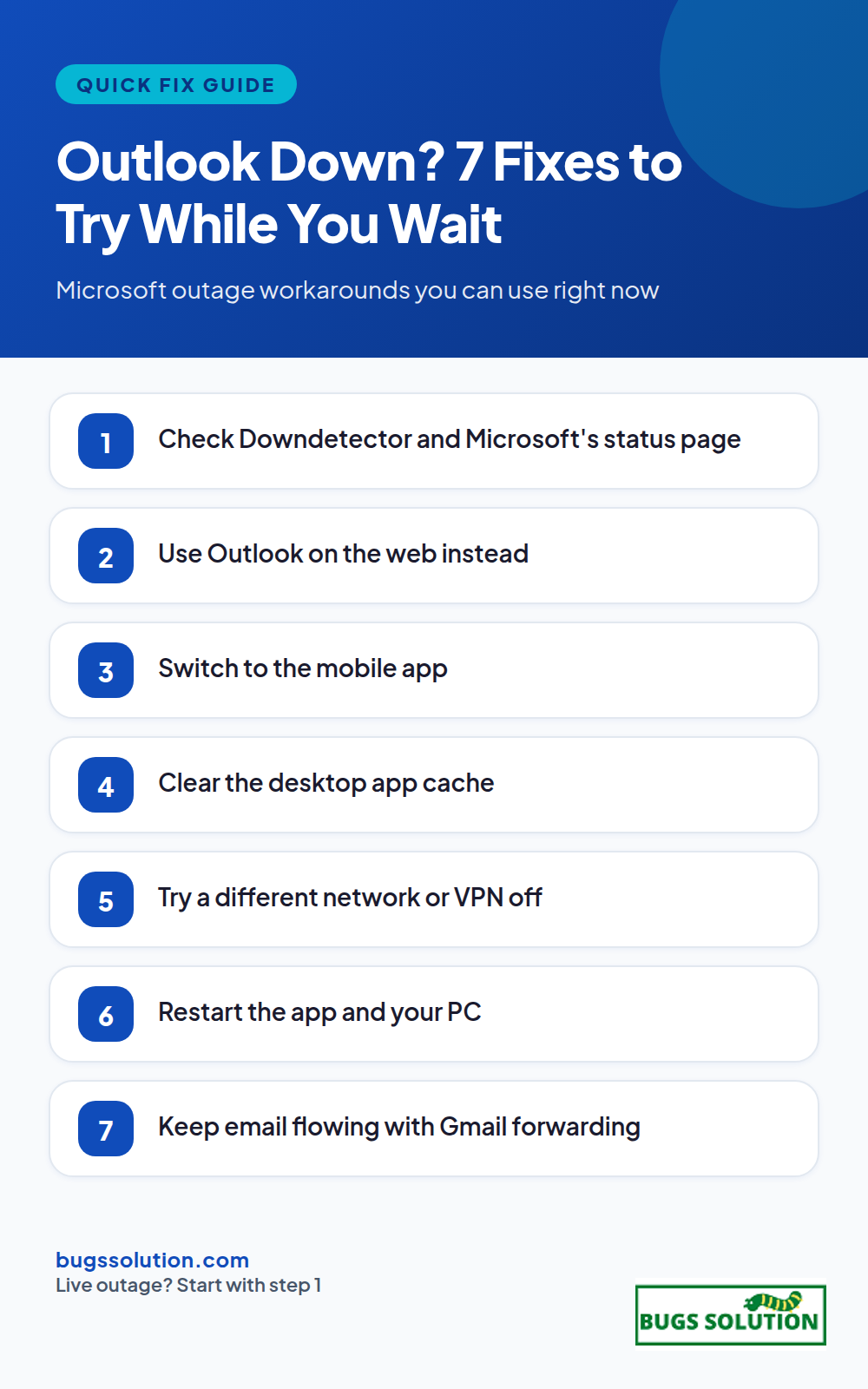
7 fixes to try while you wait
1. Use Outlook on the web
The fastest workaround is outlook.office.com or outlook.live.com in a browser. The web app runs on different infrastructure than the desktop client in many outage scenarios, and it often keeps working when the installed app does not. Sign in with the same Microsoft account and you will see the same mailbox.
2. Switch to the Outlook mobile app
If the desktop client is stuck, the iOS or Android app usually still syncs. Force quit the app, reopen it, and pull to refresh. If mail is delayed rather than failed, leave the app open for a minute; queued messages often arrive in a burst once the connection recovers.
3. Clear the desktop app cache
Corrupted cached data can make Outlook look broken even after Microsoft restores service. Close Outlook completely, then rename the OST file so Outlook rebuilds it: navigate to C:\Users\<you>\AppData\Local\Microsoft\Outlook, rename ost files to .old, and restart Outlook. For classic profiles, the same idea applies to the PST file. This does not delete mail on the server; it only forces a fresh local sync.
4. Try a different network, and turn off your VPN
A VPN or proxy can route Outlook’s connection through a path that is also affected by the outage, or through a blocked port. Disconnect the VPN and test again on a different network, such as a phone hotspot. If a VPN is part of your normal setup, our breakdown of VPN split tunneling shows how to let only Outlook bypass the tunnel while keeping other traffic protected.
5. Restart the app, then restart your PC
It sounds basic, but a full restart clears stuck processes and releases sockets the app failed to close. Quit Outlook from the system tray, not just the window, then reboot. On Mac, use Quit from the Dock. After restart, open Outlook and give it two full minutes before judging the result.
6. Check your mail on another provider temporarily
If someone is waiting on a reply from you, forward your Microsoft 365 mail to a personal Gmail or other account for the duration of the outage, or set an auto-reply that says mail is delayed. You can also reply from the web app on a different machine. For recurring delivery hiccups after the outage ends, the same triage mindset applies as in our bug fixing tips and best practices: reproduce the failure, isolate when it happens, then change one thing at a time.
7. Verify your credentials and MFA prompts
During recoveries, multi-factor authentication prompts can fail or loop. Remove and re-add the account in the desktop app, or test sign-in at login.microsoftonline.com in a private browser window. If MFA codes are not arriving, use a backup method or your authenticator app rather than SMS when possible.
What Microsoft says caused it
Microsoft blamed an issue during an earlier network capacity upgrade, not a cyberattack. Engineers had to take affected servers offline, patch them, and restore mail queues gradually. That is why some users see partial recovery: different regions and different services come back at different times. Microsoft also extended its mail delivery timeout window to 48 hours so delayed messages are not dropped while queues drain.
When to contact support
If the status page shows recovery in your region, you have tried the web app on two networks, and the desktop client still fails after a cache rebuild, open a support ticket with the exact error text and the time the problem started. Screenshot the error before clicking it away. Include whether one mailbox or every account on the tenant is affected.
Prevent the next outage from stalling you
Once service is stable, set up a secondary access path before the next incident: keep the web app bookmarked, install the mobile app, and note the admin contact for your tenant. Small preparation turns a multi-hour outage into a ten-minute detour. For more everyday resilience ideas, see tips to avoid bugs and effective strategies.
Confirm the fix actually restored mail flow
After any workaround, send yourself a message from a second account and reply to it. Outgoing-only failures (SMTP accepted, replies never arrive) and incoming-only failures (replies arrive, sent items stay stuck) point at different layers of the Microsoft service, and a workaround that only covers one direction will look fixed until the next reload. Check Sent Items and the web version of the same mailbox: if the web app shows the sent message but the desktop app does not, the desktop cache is stale and step 3 (clear cache) is still required even though mail appears to work.
Keep the status-page timestamps with your notes. When the service recovers, allow one full sync cycle before deciding a client is broken; desktop Outlook can take several minutes to drain a backlog that accumulated during the outage, and forcing a reconfiguration during that window creates a second, self-inflicted problem on top of the service incident.
Quick answers
Is Outlook down for everyone or just me?
Check status.microsoft.com and Downdetector. If both show an incident, it is global or regional. If they are clear, test the web app on another network to separate a local fault from a Microsoft one.
Will I lose mail if Outlook is down during an outage?
No. Messages wait on Microsoft servers and sync when the connection returns. Microsoft extended its delivery timeout to 48 hours during major recoveries so queued mail is not dropped.
Can I send mail while the desktop app is broken?
Yes, through outlook.office.com in a browser or the mobile app. Both often work on separate infrastructure while the installed client fails.
How long do Microsoft outages usually last?
Minor incidents clear in under an hour. Network-level events like the recent capacity-upgrade fault can take a full day for all regions to recover. Use the status page timeline rather than social media rumors.